
Contact Us

Digital Marketing & SEO
How to Add Your Business to Google Maps in Nepal (Step-by-Step Guide)
September 28, 2026
When someone in Kathmandu searches “web designer near me” or “best momo shop in Patan,” Google shows a map with three businesses first, before any website. If your business isn’t on that map, those customers never see you.
The good news is that learning how to add business to Google Maps in Nepal takes less than an hour, costs nothing, and doesn’t require a website. This guide covers the full process, including the Nepal-specific problems (unclear addresses, verification, and getting reviews) that most generic guides skip.
What Is a Google Business Profile?
A Google Business Profile is the free listing that appears on Google Maps and in local search results. It shows your business name, address, phone number, opening hours, photos, and customer reviews. For local businesses, it’s often the first thing a customer sees, and it strongly influences whether they call, visit, or choose a competitor. For any Google Business Profile Nepal owners set up, this listing is the foundation of local SEO.
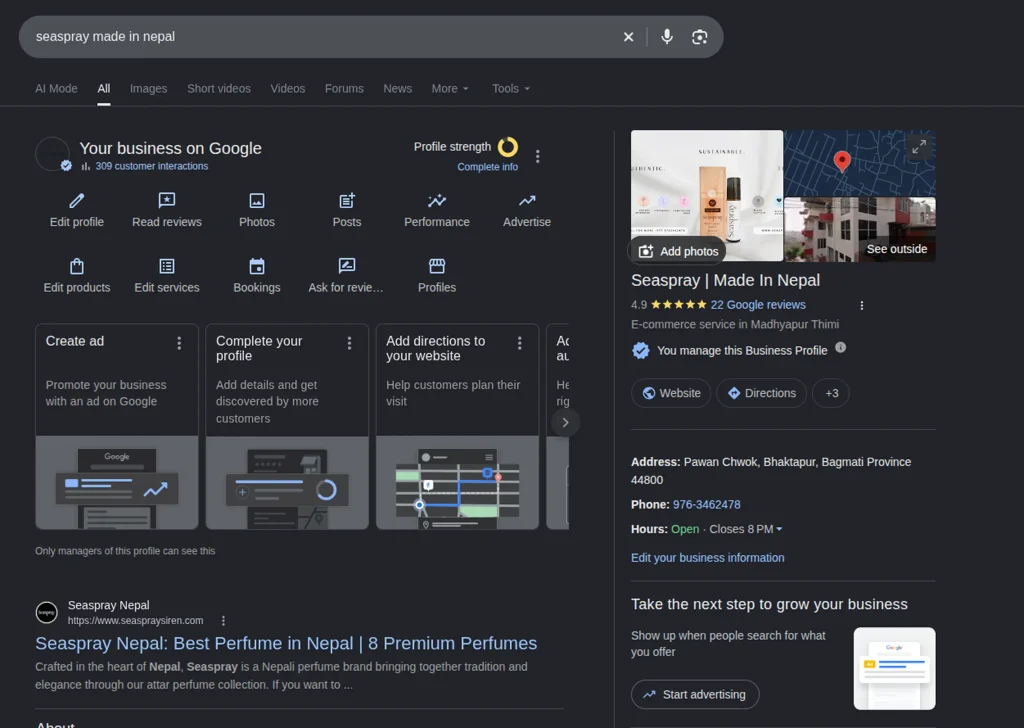
Step 1: Check Whether Your Business Already Exists
Search your business name on Google Maps first. Sometimes a listing already exists because a customer added it or Google created it automatically. If it does, claim it instead of creating a second one, since duplicate listings confuse customers and can hurt your visibility.
Step 2: Create or Claim Your Profile
Go to business.google.com and sign in with a Google account you’ll keep long term (ideally a business email, not a personal one you might lose access to). Then enter:
- Business name: use your real, everyday name exactly as it appears on your signboard and website. Adding keywords to the name (“Best Cheap Web Design Kathmandu”) violates Google’s guidelines and can get your listing suspended.
- Category: choose the primary category that best describes your main service. This is one of the strongest local ranking signals, so pick carefully and add secondary categories for your other services.
- Location: add your address if customers visit you. If you travel to customers or work online, you can hide your address and list a service area instead.
Step 3: Fix the Address Problem (Common in Nepal)
Many places in Nepal lack formal street numbers, which makes pinning an accurate location harder. A few practical tips:
- Drag the map pin to your exact building rather than relying on the typed address
- Include a clear landmark or tole name in your address line (for example, a nearby chowk or well-known building)
- Use a Plus Code, a short location code Google generates for any point on the map, when a street address isn’t enough for customers or delivery riders to find you
An accurate pin matters more than a perfect-looking address, because customers navigate by the map.
Step 4: Verify your Google Business Profile
To verify your Google Business Profile in Nepal, Google needs to confirm that you really run this business before your listing is fully visible. Depending on your location and business type, verification may be offered by phone or text, email, video recording of your premises, or a postcard sent to your address. Options vary, so use whichever Google offers you. If postcard mail is unreliable at your address, look for a video or phone option first.
Until you’re verified, you can’t manage your listing properly, so don’t skip this step.
Step 5: Complete Every Section
An incomplete profile ranks lower and converts fewer visitors. Fill in:
- Phone number and website: use exactly the same details that appear on your website
- Opening hours: keep them accurate, including festival closures. Wrong hours are one of the top reasons customers leave bad reviews.
- Services or products: list each one clearly, using the same names as on your website
- Description: write a natural summary of what you do and where, mentioning your city or area without stuffing keywords
- Photos: add your logo, a clear exterior photo (so people can spot your building), the interior, and your team or products. Businesses with real photos get noticeably more engagement than those without.
Step 6: Get Google Reviews in Nepal
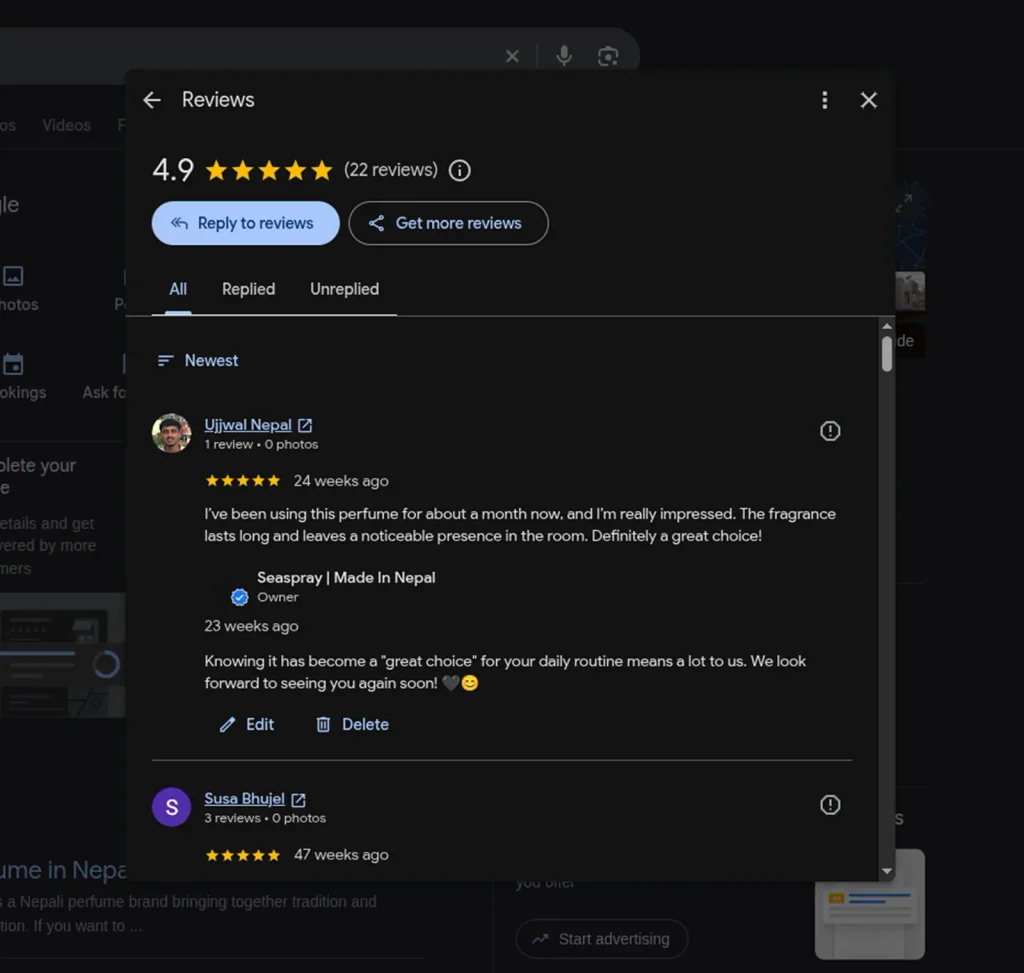
Reviews are the biggest factor after category and location, and they strongly influence whether someone chooses you. Here’s how to get Google reviews in Nepal that businesses can rely on, using a few habits that work:
- Ask happy customers directly, right after a good experience, and send them your review link (available from your Business Profile dashboard)
- Make it easy: a WhatsApp message with the link converts far better than a general request
- Reply to every review, including negative ones, politely and without arguing. Future customers read your replies too.
- Never buy reviews or offer payment for them. Google removes fake reviews and can penalize the listing.
Even a handful of genuine reviews puts you ahead of many local competitors who have none.
Step 7: Connect Your Profile to Your Website
Your Business Profile and your website should support each other. Link your profile to your homepage or a relevant service page, and make sure your business name, address, and phone number are identical on both (this consistency is called NAP: name, address, phone). This is the core of local SEO in Nepal businesses can do themselves: your website, your profile, and your social media pages all agreeing with each other.
If you don’t have a website yet, a professional website gives customers a place to learn more once they find you on the map. For deeper help, our SEO services in Nepal cover local search as well.
Common Mistakes to Avoid
- Creating duplicate listings instead of claiming the existing one
- Choosing the wrong primary category, for example a broad one like “Company” instead of your real service
- Keyword-stuffing the business name, which risks suspension
- Leaving hours outdated after a change or holiday
- Ignoring reviews, especially negative ones that go unanswered
- Using a virtual or fake address, which violates Google’s guidelines
Frequently Asked Questions
Is it free to add business to Google Maps in Nepal?
Yes. Creating and managing a Google Business Profile is free.
Do I need a website to be on Google Maps?
No. You can create a profile without a website, though adding one improves trust and gives customers more information.
How long does verification take?
It depends on the method Google offers. Phone, text, or video verification can be quick, while postcard verification takes longer. Check your dashboard for the status.
Can I list my business if I work from home?
Yes. If customers don’t visit your home, you can hide your address and set a service area instead.
How do I rank higher on Google Maps?
The main factors are choosing the right category, keeping your information complete and accurate, collecting genuine reviews, and having consistent business details across your website and other listings.
Want help setting up your local SEO and Google Business Profile in Nepal properly? Ikran Innovation helps Nepali businesses get found online, from the map listing to the website behind it.